
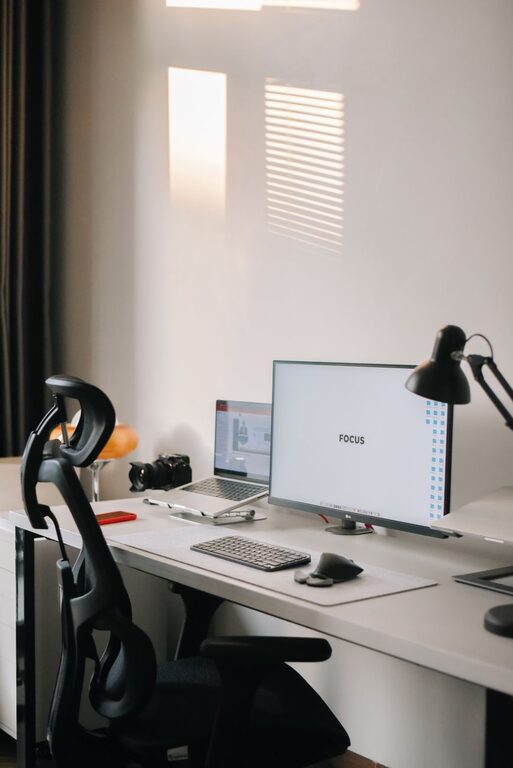
Creating a home workspace that inspires productivity and keeps clutter at bay can make a significant difference in your work-from-home routine. A well-organized space helps reduce distractions, promotes focus, and fosters a positive mindset. Whether you are setting up a new office or looking to improve your current setup, these practical tips will help you design a clutter-free and efficient workspace that suits your needs.
Why an Organized Workspace Matters
Your environment plays a key role in how effectively you work. Cluttered spaces can lead to increased stress and difficulty concentrating. Conversely, keeping your workspace tidy and well-organized encourages better attention, smoother workflow, and even improved creativity. Taking the time to arrange your workspace thoughtfully is an investment in your daily productivity and well-being.
1. Choose the Right Location
Find a Dedicated Spot
If possible, designate a specific area in your home solely for work. This separation helps signal your brain that it’s time to focus when you enter this space.
Consider Natural Light and Comfort
Select a location near a window to take advantage of natural light, which can boost mood and energy. Make sure your chair and desk are ergonomic to promote good posture and reduce fatigue.
2. Declutter Regularly
Clear Your Desk Daily
Make it a habit to clear your desk at the end of each workday. Put away papers, tidy up supplies, and wipe surfaces to maintain a neat environment.
Use the “One In, One Out” Rule
When bringing new items into your workspace, consider removing or donating something else to prevent clutter buildup.
Digitize Papers and Notes
Scan important documents and save digital copies whenever possible to reduce piles of paper.
3. Organize with Storage Solutions
Invest in Functional Furniture
Look for desks and shelves with built-in compartments or drawers to store supplies and equipment neatly.
Use Containers and Trays
Keep smaller items like pens, paper clips, and sticky notes organized with containers, trays, or drawer organizers.
Label Everything
Labeling storage bins and folders helps quickly identify contents and maintain order over time.
4. Keep Essential Items Within Reach
Arrange your workspace so frequently used items are easily accessible, reducing interruptions and unnecessary movement.
Arrange by Frequency of Use
Place the most-used tools and devices closest to you, and store less-frequently used items farther away.
5. Manage Cables and Electronics
Tame the Cable Mess
Use cable clips, ties, or sleeves to bundle cords and prevent tangling.
Limit Devices at Your Desk
Keep the number of electronics in your workspace to the essentials to reduce clutter and distractions.
6. Personalize Thoughtfully
While clutter can disrupt focus, personal touches can make your workspace inviting and motivating.
Add a Plant or Art
A small plant or a tasteful piece of art can brighten the area without overwhelming it.
Choose a Calming Color Scheme
Opt for neutral or soft colors that promote concentration and reduce eye strain.
7. Establish a Routine for Maintenance
Set a weekly schedule to review and tidy your workspace fully. Consistent upkeep prevents clutter from accumulating over time.
8. Use Technology to Stay Organized
Utilize tools like digital calendars, task managers, and note apps to keep track of deadlines and ideas, reducing paper clutter.
Final Thoughts
A clutter-free and well-organized home workspace can transform your daily work experience. By choosing the right location, maintaining order, using smart storage, and minimizing distractions, you create a productive environment tailored to your needs. Start small, be consistent, and watch your efficiency and satisfaction grow as your workspace evolves.